
Appearance
How Clearing Works
Speedy clears a page when something it shows changes, using Craft’s own cache tags.
While a page is built
When Craft builds a page that isn’t cached, Speedy asks Craft to collect cache tags, the same way Craft’s {% cache %} tag does. Craft adds a tag for:
- every element the template uses: entries, assets, categories, users, globals, Commerce products and variants, nested entries (with their owner) and related elements;
- every element query:
craft.entries.section('news')adds a tag for the News section; a query with no section adds a tag for all entries; - specific IDs:
craft.entries.id([4, 5])adds a tag for each.
Speedy saves the page and its tags. For each tag, it keeps a small file listing the pages that use it.
When something changes
When an element is saved, deleted, restored, moved in a structure or has its URL changed, Craft announces the tags that changed. Speedy:
- collects them until the end of the request, queue job or bulk operation;
- queues one clear job;
- finds the pages that use any of the tags;
- rebuilds those pages in the background, then replaces the old copies;
- clears them from your CDN;
- adds a line to the log, such as “Saved entry ‘Summer Sale’ → 3 pages”.
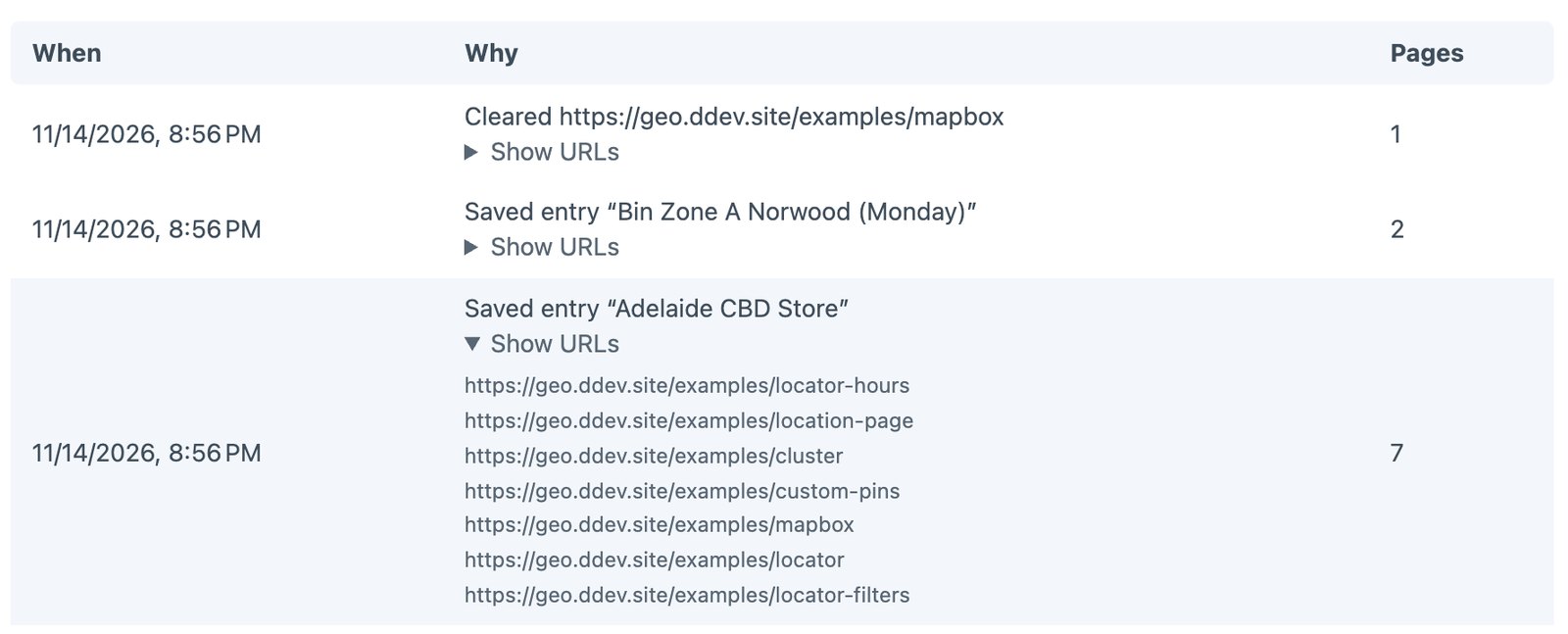
An example
| Page | Tags it used |
|---|---|
/ | the News section, the Footer global |
/news | the News section, the Footer global |
/news/summer-sale | entry 42, the Footer global |
/about | entry 7, the Footer global |
- Save “Summer Sale” (entry 42, in News): clears
/news/summer-sale,/newsand/./aboutstays cached. - Save “About”: clears only
/about. - Edit the Footer global: clears every page, as they all show it.
- Autosave a draft: clears nothing.
What doesn’t clear pages
- Drafts, autosaves and revisions. They never appear on the live site.
- Changes outside Craft, such as an API, a feed or the database edited by hand. See Pages with live data.
Imports and bulk saves
Saves are collected and cleared together: a Feed Me import or resave/entries of thousands of entries queues one clear job, after the import finishes.
Everything at once
Some changes clear every page:
- Clear all pages on the utility page, or
php craft speedy/clear; - Speedy Cache pages in Utilities → Caches;
- changes Craft treats as affecting everything, such as clearing all of Craft’s caches.
Busy sites
Clearing everything on a busy site means every visitor builds pages at once. Speedy keeps that safe:
- One build per page. When many visitors ask for the same page before it’s cached, one request builds it and the others wait a moment for that copy, rather than every one of them running the template and its queries.
- Clearing is instant. The cache folder is moved aside in one step and deleted afterwards in the background, so clearing never times out half-way, however many pages there are.
- Rebuild instead of clear. Rebuild all pages, or
php craft speedy/clear --rebuild, rebuilds every page in the background while visitors keep getting the old copies. - Gentle rebuilds. Pages are rebuilt two at a time (
warmConcurrency), so rebuilding never floods your own server.
Why per section, not per query
Speedy records that a page lists the News section, not the exact query (“the 3 newest News entries”). So saving an old News entry also clears /news, even if that entry wasn’t in the top 3.
That’s deliberate. Recording each query exactly means storing every query of every page, which on big sites runs to millions of database rows. Clearing a few extra pages takes a moment to rebuild in the background; a bloated database slows everything.