
Appearance
The Utility Page
Utilities → Speedy Cache shows what’s cached and lets you clear it. It needs the Utilities → Speedy Cache permission.
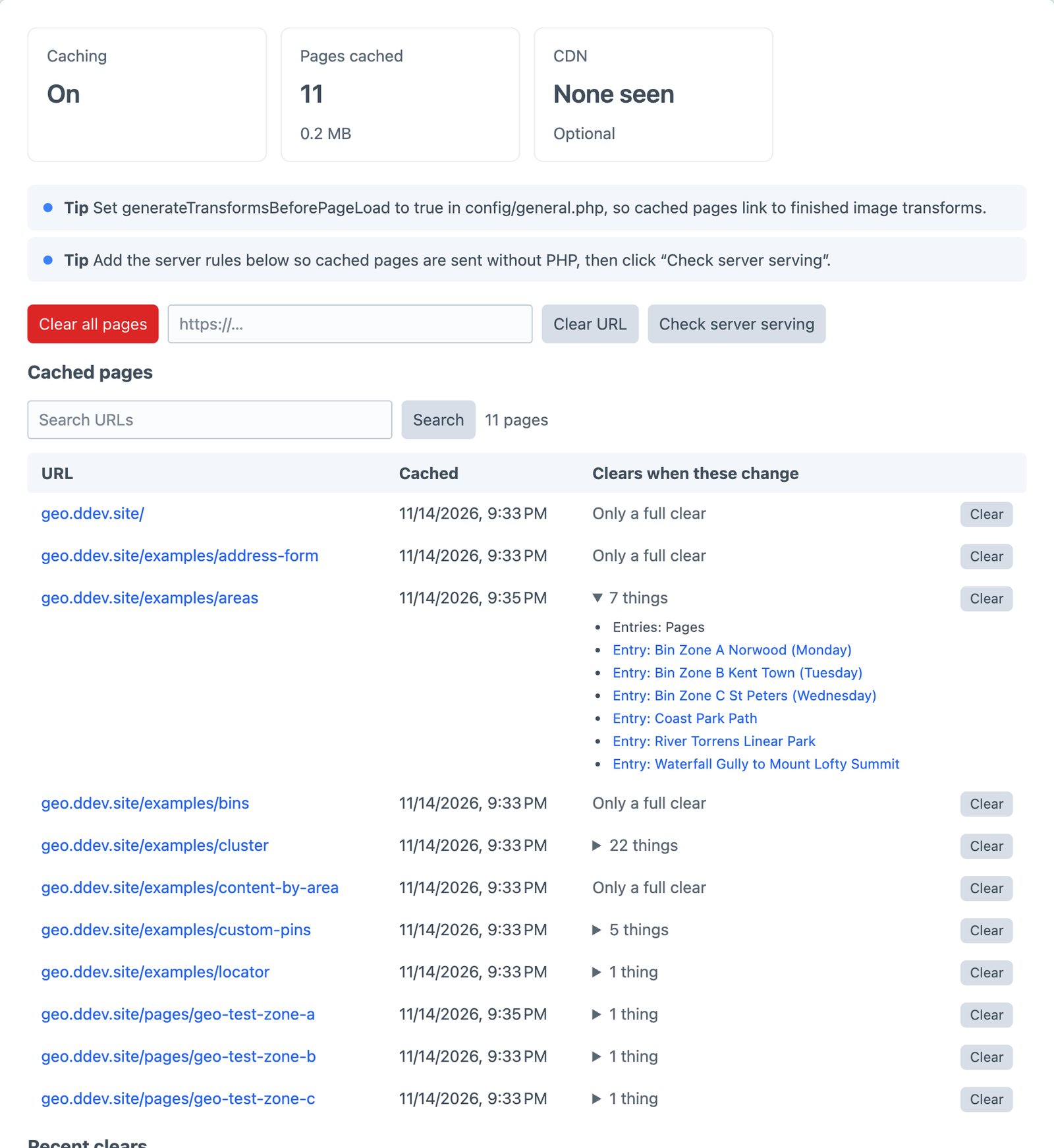
At the top
- Pages cached and their size on disk.
- CDN: the one Speedy detected, and whether it can clear it.
- CloudFront paths this month, when CloudFront is set up.
- The last result from each CDN.
Checks and tips
Under the totals, Speedy lists anything that needs attention, most important first:
- Problems: another page-cache plugin enabled at the same time, a folder Speedy can’t write to, failed Speedy queue jobs, a CDN clear that failed.
- Checks: caching turned off,
devModeon in production, CloudFront close to its free paths. - Tips: your site is behind a CDN Speedy could clear, pages that clear whenever any entry is saved (a query without
.section()), image transforms generated on first view, and server rules not checked yet.
Actions
| Button | What it does |
|---|---|
| Clear all pages | Removes every cached page, clears your CDN, then warms the pages you listed |
| Rebuild all pages | Rebuilds every cached page in the background. Visitors keep getting the old copies until the new ones are ready, so a busy site never has a moment with nothing cached |
| Clear URL | Clears one page, such as https://example.com/news |
| Warm pages | Builds the pages in your warm list now. Shown when warm is set |
| Check server serving | Checks that the web server is serving cached pages without PHP. See Server rules |
| Test Cloudflare / Test CloudFront | Checks the CDN details. Shown when they’re set |
Cached pages
Every cached page, sorted by URL, with a search box. For each page:
- Cached: when it was built, and when it will be rebuilt for scheduled content.
- Clears when these change: what the page depends on, in words: “Entries: News”, “Entry: Summer Sale”, “Any of: Entries”. A page with nothing listed only clears when everything is cleared, such as a page from a template with no entries.
- Clear: clears that page.
On each entry
The details panel of entries, categories, products and other elements with pages shows a Page cache line: whether its page is cached and when, or why it isn’t (caching off, or a Never cache pattern), and how many cached pages show it.
Clear from an element index
Select entries, categories or Commerce products, and choose Clear cached pages from the actions menu. It clears every cached page that shows them. It needs the Utilities → Speedy Cache permission.
Recent clears
The last clears, with when, why, how many pages and which URLs:
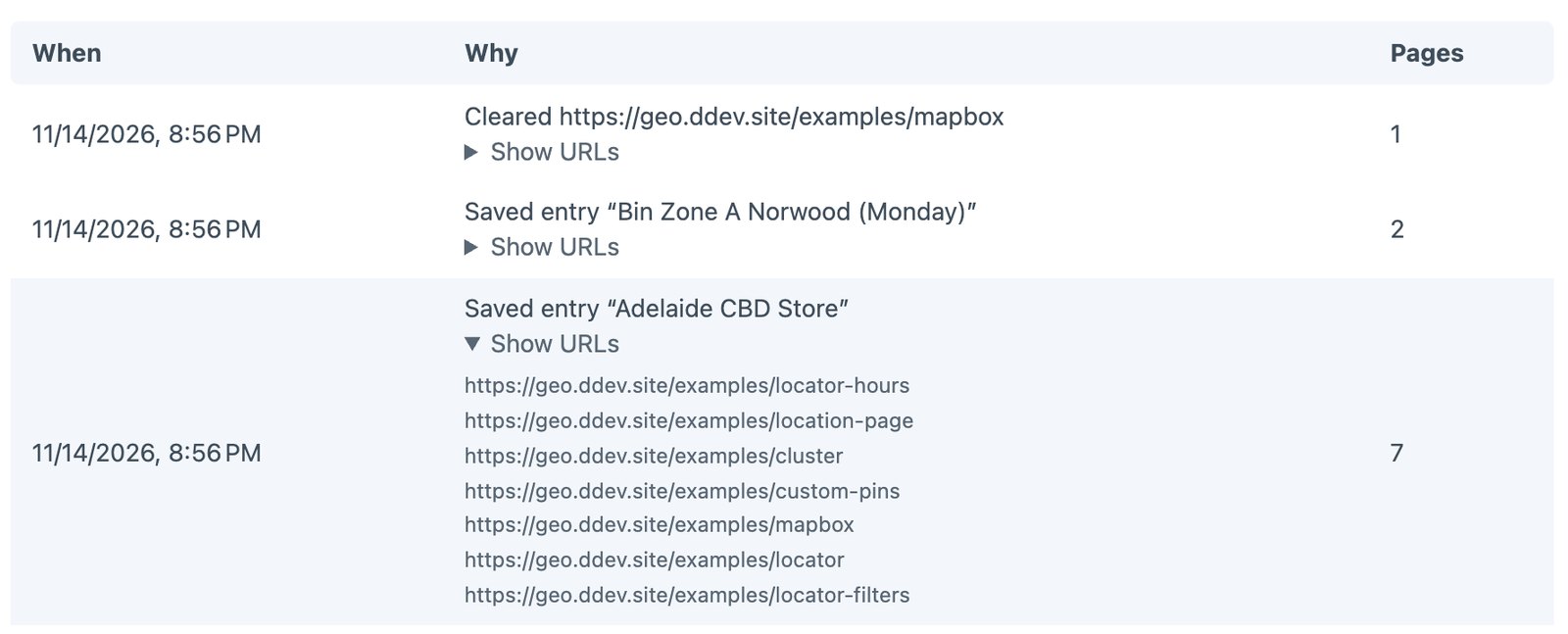
Each line names what changed: “Saved entry ‘Summer Sale’ → 3 pages”, “Resaved 1,200 entries → 340 pages”, “Cleared from the command line”. CDN failures show here too.
Serve pages without PHP
The rules for your web server, ready to copy.
Craft’s caches utility
Utilities → Caches has a Speedy Cache pages option, which clears all pages along with Craft’s other caches.